![replyco part of comrce-4.png]](https://docs2.replyco.com/hs-fs/hubfs/replyco%20part%20of%20comrce-4.png?height=40&name=replyco%20part%20of%20comrce-4.png)

Access Rights Needed: Main => Admin (View & Edit)
To start receiving customer messages, order information and cases from your eBay store(s), you'll need to connect your Replyco account to each eBay store. Begin by navigating to your Replyco home screen.
Step 1: Add a New Integration
Click the + Add Account button in the upper-right corner.

Step 2: Choose eBay
Select eBay from the list of available Replyco integrations.

Step 3: Authorise
Click on the Authorise button to be directed to eBay’s site.

Enter your eBay username and password, then click Sign In.

Step 4: Agree
Click on the Agree button to grant Replyco access to your eBay account.

Step 5: Choose a Shop Country
Select your shop country.

All Done!
Connecting More than One eBay Store?
Make sure to log out of the previous store before starting the integration process again.
Want to Change the Name of Your eBay Store?
Please contact our Customer Support team for assistance, otherwise your eBay integration might get blocked.
VIEW / EDIT
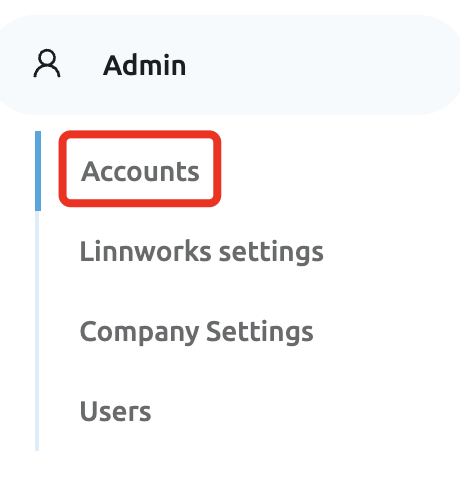
To view integrations that have already been added, go to Admin > Accounts.
A list will display the Source, Synchronization Status, Account, Name, Date for Last Messages Synced, and Last Orders Synced.
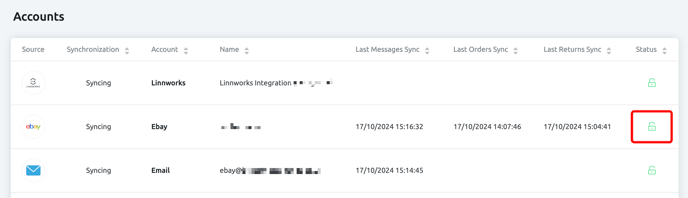
- A 🟢 green status means that the integration is configured correctly.
- A 🔴 red status indicates that the integration is not configured correctly.